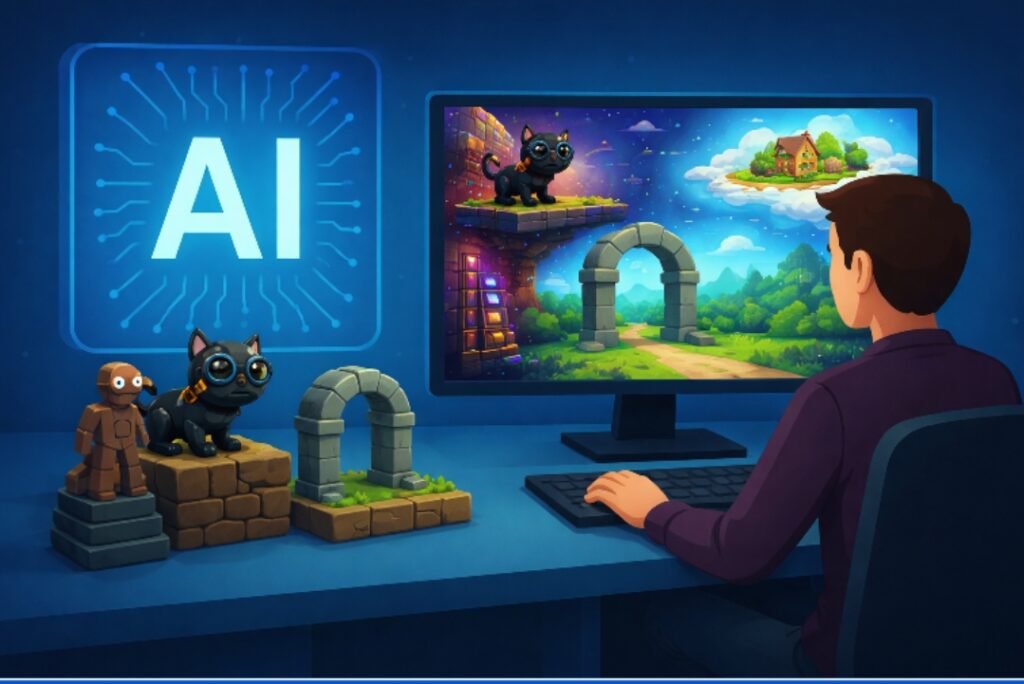
Imagine describing your dream video game in a single sentence. Maybe it is “a cyberpunk platformer where a cat hacks robots in neon Tokyo” or “a cozy farming simulator set on a cloud.” Now imagine hitting enter and playing that exact game thirty seconds later.
This might sound like science fiction, but it is quickly becoming a reality. The barrier to entry for game development has traditionally been incredibly high. It usually requires learning complex coding languages like C++ or C#, mastering art design, understanding physics engines, and agonizing over sound engineering. It is a process that can take years to learn and even longer to execute.
Generative technology is changing this dynamic entirely. New tools are emerging that allow anyone to build interactive experiences using natural language. But how does this actually work? How does a computer understand “cyberpunk cat” and translate that into a functional character with hitboxes, gravity, and animations?
This article breaks down the “text to game” pipeline to reveal the technical magic happening behind the screen.
Step 1: Understanding the Prompt (The Director)
The process begins the moment you type your idea into the text box. To you, it is a creative description. To the Astrocade, it is a complex set of instructions that needs to be decoded.
This stage relies heavily on Natural Language Processing (NLP). Astrocades AI Prompt-based Game Creation system analyzes your sentence to extract specific entities and intents. It looks for keywords that define the core components of a game:
- Genre: Is it a platformer, an RPG, or a puzzle game?
- Setting: Is the environment a forest, a city, or deep space?
- Mechanics: Does the character jump, shoot, or collect items?
- Style: Should the art look like pixel art, watercolor, or realistic 3D?
Think of the NLP layer as a film director reading a script. The director breaks down the script for each department. They tell the set designers (asset generators) that they need a neon city background. They tell the stunt coordinators (physics engine) that the protagonist needs to be able to double-jump. If your prompt is vague, the system uses probability to fill in the gaps with logical assumptions. If you ask for a “Mario-style game,” it implies that you need platforms, coins, and a jump mechanic, even if you didn’t explicitly list them.
Step 2: Generating the Assets (The Art Department)
Once the system understands what to build, it needs to create the necessary components to construct it. A game is visually made up of assets. These are the sprites, background images, textures, and 3D models that you actually see on the screen.
In traditional development, an artist would draw these by hand or model them in software like Blender. In generative game design, image generation models take over this role.
Visual Assets
Based on the style parameters identified in step one, the generator creates specific visuals. If the prompt calls for a “pixel art knight,” the model generates a sprite sheet containing the knight standing still, running, and jumping. It simultaneously generates the background layers, creating seamless tiles that can repeat infinitely to form the ground or the sky.
Audio Assets
Visuals are only half the experience. The system also needs to generate sound. If your prompt implies a spooky atmosphere, the audio engine might synthesize a slow, minor-key background track. It also assigns sound effects to actions. When the system generates the code for a “jump,” it tags a corresponding “whoosh” or “boing” sound file to that action.
Step 3: Writing the Logic (The Programmer)
This is the most critical and complex part of the pipeline. You can have beautiful art and great music, but without code, it is just a slideshow. You need logic to make it interactive.
This is where Large Language Models (LLMs) shine. These models act as the lead programmer. They do not just write English text; they are trained on massive repositories of code. When the NLP layer says, “We need a player controller for a 2D platformer,” the LLM writes the actual script in a language like JavaScript.
The model defines the rules of the world:
- Gravity: How fast does the player fall?
- Collision: What happens when the player touches a wall? Do they stop, or do they pass through?
- Win/Loss States: Does the game end when the player collects ten coins or when they fall into a pit?
For example, the LLM might generate a function that constantly checks the player’s health. If the health drops to zero, it triggers a “Game Over” sequence. This is the difference between a static image and a functional “prompt to game” experience. The code binds the visual assets to specific behaviors.
Step 4: Putting It All Together (The Engine)
At this point, we have a list of instructions, a folder full of images, and a script of code. Now they need to be assembled into a playable application. This happens inside a game engine.
The engine is the framework that runs the game. It renders the graphics at sixty frames per second and listens for your keyboard or controller inputs.
In this final stage, the automated system compiles everything. It places the background image on the screen. It places the player character at the starting coordinates. It attaches the “jump” script to the spacebar and the “move” script to the arrow keys. It draws the collision boxes around the ground so the player doesn’t fall through the floor.
For example, Javelin Blitz on Astrocade is a tap‑and‑hold javelin-throwing game that showcases how a short prompt can become a fully playable timing‑based experience.
The Limitations and the Future
While this technology is revolutionary, it is still in its early stages. Currently, “text to game” tools are best at creating simple, recognizable genres like arcade shooters or platformers. You likely won’t be generating the next massive open-world RPG with a single sentence just yet.
The logic can sometimes hallucinate, meaning the code might have bugs where a character gets stuck in a wall or an enemy flies backwards. However, the speed of improvement is rapid. Future versions of this technology will likely allow for iterative editing. You will be able to play the game, pause it, type “make the enemies faster,” and see the code update in real-time.
We are moving toward a future where no-code game dev is the standard for prototyping. It will allow designers to test ideas instantly before committing to the long process of polishing them manually.
Start Creating Your Own Worlds
The ability to turn a fleeting thought into a playable reality was once the domain of expert programmers. Now, it is becoming accessible to everyone. Generative technology bridges the gap between imagination and execution.
Whether you are a seasoned developer looking to prototype quickly or someone who has never written a line of code in your life, the power to create is now at your fingertips. Why not give it a try? Think of a concept, type it in, and see what kind of world you can build today.