A bright red warning screen makes visitors leave your website immediately. Browsers display these harsh warnings when a site lacks proper security protocols. Visitors simply do not trust connections that leave their personal data exposed to potential threats.
To remove that warning and build visitor trust, you need an HTTPS certificate. This digital file secures the connection between your web server and your visitor’s browser. It transforms a vulnerable website into a safe, encrypted environment.
This guide explains exactly how this security technology works. You will learn the different formats available, why your business absolutely requires one, and how to set up this vital protection on your server.
What is an HTTPS Certificate?
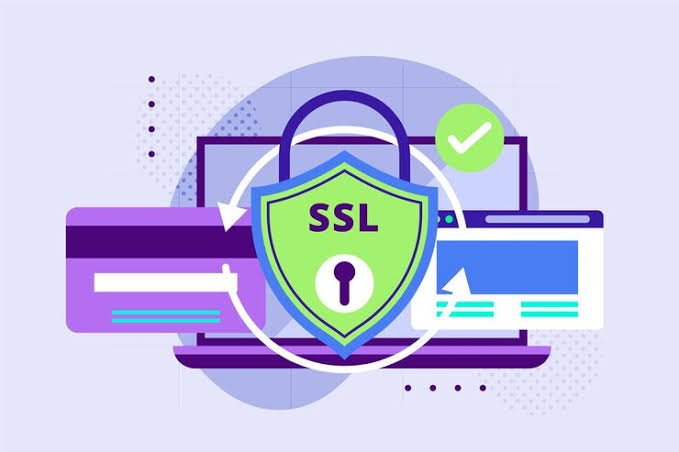
An HTTPS certificate is a small data file hosted on a website’s origin server. It binds a cryptographic key to the verified details of your organization. People also commonly refer to these files as SSL (Secure Sockets Layer) or TLS (Transport Layer Security) certificates.
When a user visits your site, this file facilitates a secure, encrypted connection. It ensures that any data transferred between the user and the site remains entirely private. If a visitor types their password or submits a credit card number, the certificate instantly scrambles that text.
The encryption turns highly sensitive data into a random, unreadable string of characters. Even if a cybercriminal manages to intercept the connection, they cannot decipher the stolen information. This continuous encryption process forms the structural foundation of modern internet safety.
Why HTTPS Certificates Are Essential for Websites
Running a website without an HTTPS certificate puts both your brand reputation and your visitors at massive risk. You carry a strict responsibility to protect the information your users share with you.
First, modern web browsers demand strict user safety. Browsers like Google Chrome and Apple Safari actively penalize unprotected sites. They display harsh “Not Secure” warning labels next to your URL. This warning destroys your credibility before a visitor even reads a single sentence of your content.
Second, if your site features a basic contact form or a user login portal, you actively collect personal data. Encryption ensures cybercriminals cannot steal your visitors’ private details while they browse your pages. Data breaches cause immense financial and reputational damage to businesses.
Finally, basic security dictates your ability to process online payments. If you want to accept credit cards directly on your web pages, you must meet strict compliance standards. Having active encryption in place is a non-negotiable requirement for the Payment Card Industry (PCI).
Types of HTTPS Certificates
Certificate authorities issue various types of HTTPS certificates based on your specific technical needs. You must choose the right format for your unique website structure.
Domain Validation (DV)
DV certificates represent the fastest and most affordable entry point for website security. The issuing provider only requires you to prove that you control the specific domain name. The automated verification process happens in minutes. These work perfectly for personal blogs, portfolios, and basic informational websites.
Organization Validation (OV)
OV certificates step up the security verification process. The issuing authority checks your domain ownership and verifies your organization’s basic legal details. Visitors can click the security padlock in their browser to see your verified company information. These serve small businesses and lead-generation sites very well.
Extended Validation (EV)
EV certificates deliver the absolute highest level of consumer trust available. The provider conducts a rigorous, manual background check on your legal business entity. This intensive process takes a few days to complete. Ecommerce stores, large enterprises, and financial institutions rely heavily on EV certificates to prove their legitimacy.
Wildcard Certificates
A standard digital certificate only secures one exact domain name. If you add subdomains—like a dedicated store or a customer portal—you would normally need to buy separate files. A Wildcard HTTPS certificate solves this expensive problem. It secures your main domain name and an unlimited number of subdomains attached to it.
Multi-Domain Certificates
Sometimes called Subject Alternative Name (SAN) certificates, these powerful tools secure multiple entirely different domain names. You can cover all your domains under one single administrative file. If your parent company owns several different website brands, a Multi-Domain certificate makes management incredibly simple.
Benefits of Using HTTPS Certificates
Investing in robust encryption does much more than just scramble text data. It actively improves your website’s daily performance, builds brand credibility, and directly impacts your bottom line.
One massive benefit is stronger search engine optimization (SEO). Search engines desperately want to keep their users safe. Google openly uses HTTPS security as a direct ranking signal in its search algorithm. Properly implementing an HTTPS certificate helps push your website higher up in organic search results.
Another major benefit is a noticeable increase in conversion rates. When visitors see a globally recognized padlock icon on your checkout page, they feel safe entering their payment details. This highly visible trust indicator directly leads to more closed sales and higher form submission rates.
You also gain critical protection against advanced cyber attacks. Without proper encryption, hackers can easily execute “man-in-the-middle” attacks. They secretly intercept and alter the communication between your visitor and your server. Proper encryption stops these malicious attacks immediately.
How to Obtain and Install an HTTPS Certificate
Securing your site takes just a few straightforward technical steps. The entire process remains highly logical once you understand the basic workflow. Follow these core steps to lock down your web traffic.
Step 1: Generate a Signing Request
Before buying anything, you must generate a Certificate Signing Request (CSR) on your web server. Your web hosting provider can help you create this small block of text through your main control panel. It contains your exact domain name and verified company details.
Step 2: Purchase the File
Take your new CSR text to a highly trusted certificate vendor. Review your website structure and select the proper validation level. Complete the checkout process and submit your CSR to the issuing authority so they can link the file to your server.
Step 3: Validate Your Domain
The issuing authority will ask you to prove you actually own the domain. You typically accomplish this by clicking a specific verification link sent to your administrative email address. Some providers let you upload a tiny text file to your server instead.
Step 4: Install the Files
Once the validation finishes, you will receive your final HTTPS certificate files via email. Upload these specific files directly to your web hosting control panel. Finally, configure your website to force traffic over HTTPS so visitors always experience a secure, encrypted connection.
Secure Your Website Today
You simply cannot afford to leave your website unprotected for another minute. An unsecured website heavily damages your brand reputation, exposes your valuable visitors to massive risk, and actively hurts your search engine rankings.
Review your website’s specific technical needs, select the proper validation level, and choose a highly reliable security provider. Take action right now. Install the right HTTPS certificate today to protect your user data and establish lasting trust with your audience.