Editing a polished video online is easier than many people expect. With an online video editor, you do not need to reshoot footage or master complex timelines. You can upload a clip, describe the change you want, and let AI handle the rest. Remove unwanted objects, change backgrounds, adjust characters, or apply cinematic styles in minutes.
This guide explains how to edit videos online with simple text prompts, even if you have no editing experience. It also shows how Pollo AI’s online video editor can help you create cleaner, more engaging videos for social media, ads, and personal projects.
What Can an Online Video Editor Do?
An online video editor helps you fix and improve footage without starting over. Instead of reshooting, you can upload a clip and describe what should change. Pollo AI’s online video editor can restyle scenes, remove unwanted objects, change backgrounds, adjust characters, and apply cinematic effects using simple text prompts.
It is also browser-based, so you do not need heavy software or a powerful computer. This makes it useful for marketers, creators, small business owners, and anyone who wants to publish more videos without spending hours on manual edits.
How to Edit Videos with Pollo AI
The workflow is simple. You do not need a complicated timeline.
Step 1: Upload Your Video
Upload the clip you want to edit. It can be a product video, talking clip, property tour, or short ad. Clear lighting and steady framing help produce better results. If the original file is noisy or blurry, the edit may look less natural.
Step 2: Describe the Change
Type a specific prompt. A useful formula is: action + object + location/style. For example:
- “Remove the trash can on the left.”
- “Change the background to a bright modern office.”
- “Make the person wear a navy blazer.”
- “Add warm sunset lighting.”
- “Turn the scene into a clean anime style.”
You can also add a reference image if you have a clear visual direction. This is helpful when you want a certain outfit, color palette, or environment.
Step 3: Create and Download
Click Create, review the result, and download the video. If the edit feels too strong, simplify the prompt and try again. Small changes often work best. For longer videos, process a short section first to check quality before exporting the full clip.
Remove Unwanted Objects Cleanly
Small details can distract viewers. A messy background, visible sign, or random object can pull attention away from your message.
With Pollo AI, you can remove unwanted elements while preserving the scene. Use direct prompts such as “Remove the bottle on the table.” If the object moves through the scene, test a short section first. After processing, zoom in and check edges, shadows, and reflections to make sure the removal looks natural.
Change Characters While Keeping Consistency
Sometimes you need to adjust a subject’s appearance. Maybe the outfit should look more professional, or the hairstyle needs to match a campaign.
Pollo AI can change hair, outfits, age, and other subject details while maintaining character consistency across frames. This matters because viewers will notice if the person changes too much between shots.
For business videos, keep changes realistic. For stylized ads, you can be more creative. If the video represents a real person, get permission before changing their appearance.
Apply Cinematic Styles and Creative Effects
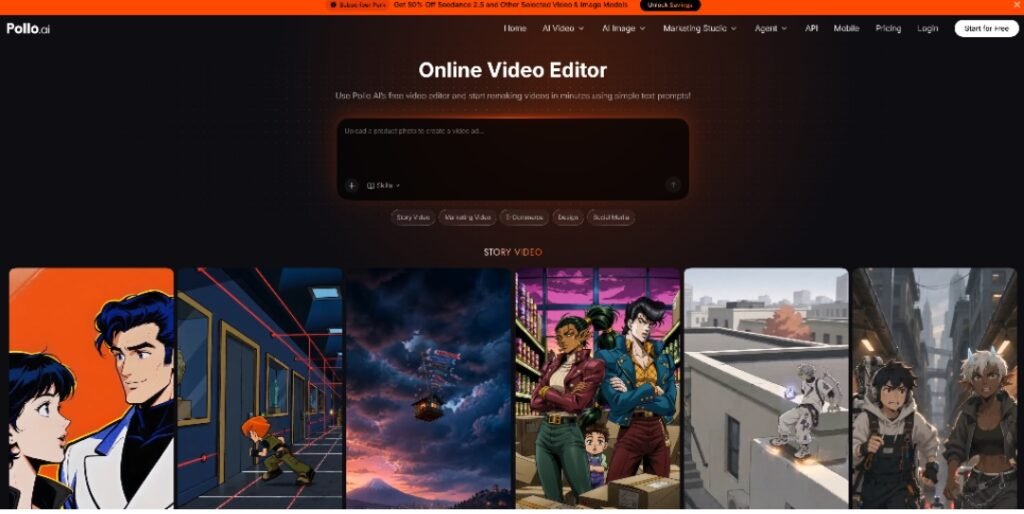
A plain clip can become more memorable with the right look. Pollo AI lets you apply cinematic effects or restyle videos into anime, 3D, Pixar-style, and other creative formats. This helps you test visual concepts without hiring a design team.
Use style prompts when you want a video to feel more emotional, dramatic, or playful. For example:
- “Add a cinematic teal and orange look.”
- “Make it feel like a dramatic movie trailer.”
- “Turn this clip into a soft 3D animation style.”
Start with one style at a time. If the result looks too heavy, reduce the description and generate again.
Change Backgrounds, Weather, and Environments
You can also change environments, weather, and backdrops. This is useful when the original location does not match the message.
For example, turn a gray sky into a sunny afternoon, place a product in a luxury kitchen, or make a property tour look like a golden-hour walkthrough. Describe the setting clearly: “Change the background to a cozy café with warm lighting.” The tool can then remake the scene with better realism and composition.
Who Can Use an Online Video Editor?
Different teams can use the same tool for different goals.
E-commerce managers can clean up product footage and change backgrounds without new shoots. Marketing directors can create multiple campaign variations for testing. Real estate professionals can improve lighting, weather, and settings to present listings better. Agencies can produce high-volume content for TikTok, Instagram, and YouTube.
The main benefit is speed. One video can become several versions for different platforms and audiences. This helps you test hooks, visuals, and messages without increasing production costs.
Pollo AI is not only for fixing footage. It has 250+ built-in AI video apps for users to explore. This makes it useful for both business and personal projects. A marketer can make ad variations, while a creator can make a funny meme video or a personalized birthday message. If you already know how to write a simple prompt, you can use the same workflow for many types of content.
Practical Tips for Better Results
Use these tips to get cleaner edits:
- Make one request at a time.
- Be specific.
- Use clear source footage.
- Add captions if the video will run on social feeds.
- Save your best prompts so you can reuse them for future videos.
Short, direct prompts usually produce better results than long, vague ones.
An online video editor can save time, reduce reshoots, and help you publish better content with less effort. If you want a simple way to restyle scenes, remove objects, change backgrounds, or adjust characters, Pollo AI’s free online video editor is a practical place to start. Use it to improve marketing videos, create social content, and turn ordinary clips into polished results.