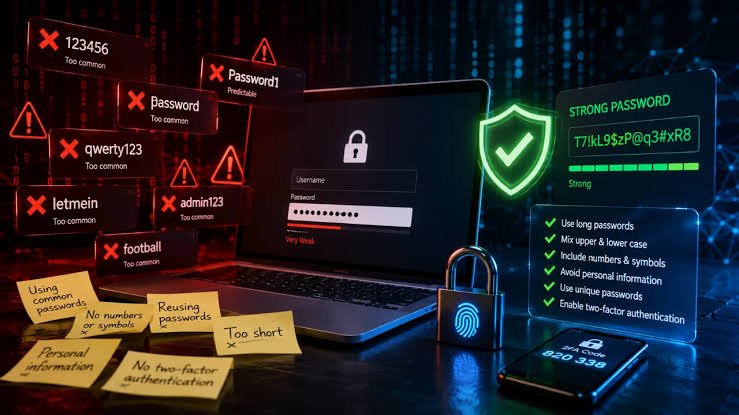
Writers spend a great deal of time on word choice. Here is one context where the words you pick carry consequences that have nothing at all to do with style: the password standing between a stranger and your email, your documents and your bank.
The advice that quietly stopped working
For twenty years the standard instruction was to build a password out of complexity. Take a word, capitalise the first letter, swap an a for an @, put a 3 where the e goes, and finish with a number and an exclamation mark. The result looked formidable. It was not.
The problem is that everyone was taught the same trick. Those substitutions are a short, fixed list, and software that guesses passwords applies them automatically. A capital at the front and a number at the end is not a variation, it is a pattern, and patterns are exactly what guessing software is built to exploit. A password that looks complicated to a human reader can still be one of a very small number of predictable transformations of a common word.
Unpredictability, not complexity
The property that actually protects an account is how many equally likely alternatives there were. If your password could plausibly have been any one of an enormous set of possibilities, guessing it becomes impractical. If it could only really have been a handful of things, the symbols decorating it make no difference.
This is why the current guidance from the US National Institute of Standards and Technology moved away from forced complexity rules and towards length. Long passwords give you a far larger space of possibilities than short ones dressed up with punctuation, and unlike punctuation, length is something people can actually manage.
Why three random words works
The UK National Cyber Security Centre recommends building passwords from three random words for exactly this reason. Words are long, so the result has real length. Words are memorable, so people are willing to use them instead of writing something down on a sticky note. And words drawn genuinely at random from a large vocabulary produce a set of possible combinations far too big to work through.
The NCSC sets out its reasoning in four parts. Length, because several words together will almost always be longer than one word with decorations attached. Novelty, because multi word passwords push people towards combinations that nobody has tried before. Usability, because a phrase is easier to type on a phone than a string of symbols. And impact, because the instruction fits in three words and can be explained to anyone in a sentence, which matters more than it sounds. Advice that nobody follows protects nobody.
A phrase like coral fountain granite is easier to hold in your head than a string of symbols and considerably harder to guess. It reads as nonsense, which is the point. Meaning is what makes a password predictable.
The word random is doing real work here
This is where most people undo the benefit. Asked to pick three random words, we reach for words that are already connected to us. A pet, a street, a football club, a month. Human choices cluster tightly around common nouns, names and anything currently on our minds, and an attacker who knows a little about you can narrow the field very quickly. Words chosen by a person are not random. They only feel random.
The practical fix is to take the choosing away from yourself. A password generator will produce either a genuinely random word sequence or a random character string, without the unconscious preferences that make human selections guessable. If you are generating a passphrase you will remember, ask for words. If it is going straight into a password manager and you will never type it, characters are fine, because memorability stops mattering.
What matters more than any single password
Even a strong password fails if it is the only one you own. Reuse is the underlying problem, because one breach at one careless service then unlocks everything else. The specifics vary but the priorities do not:
- Never reuse a password across accounts. Unique credentials contain the damage from any single breach to that one service.
- Prefer length over decoration. A longer passphrase beats a short string stuffed with symbols, and you stand a chance of remembering it.
- Check your exposure. Searching your address on Have I Been Pwned tells you which breaches already include you, which is usually a longer list than expected.
- Turn on two factor authentication. It is the single change that does most to make a leaked password harmless.
A note on writing them down
The old rule against writing passwords down was aimed at notes taped to monitors in shared offices. For most people at home the greater risk is not a burglar reading a notebook, it is reusing one weak password across forty accounts. A password manager solves the problem properly by storing everything encrypted behind one strong passphrase you actually remember, which is the one you should build from random words.
The habit worth forming is small. Stop trying to be clever with substitutions, let something else do the choosing, and give each account its own long, meaningless phrase. Meaningless is the compliment here.